Free program
The Mahala Workshop - CNC Controller
The program we use to run our own laser CNC in the workshop. It is made for CNC machines people built themselves with Arduino and Grbl, and it is free for everyone. It runs on Windows, and the CNC can be watched and stopped from a phone too.
Version 1.0.3 · 72 MB · released 10/31/2026 · Windows 10/11, 64-bit
Code signing policy
Free code signing provided by SignPath.io,
certificate by SignPath Foundation
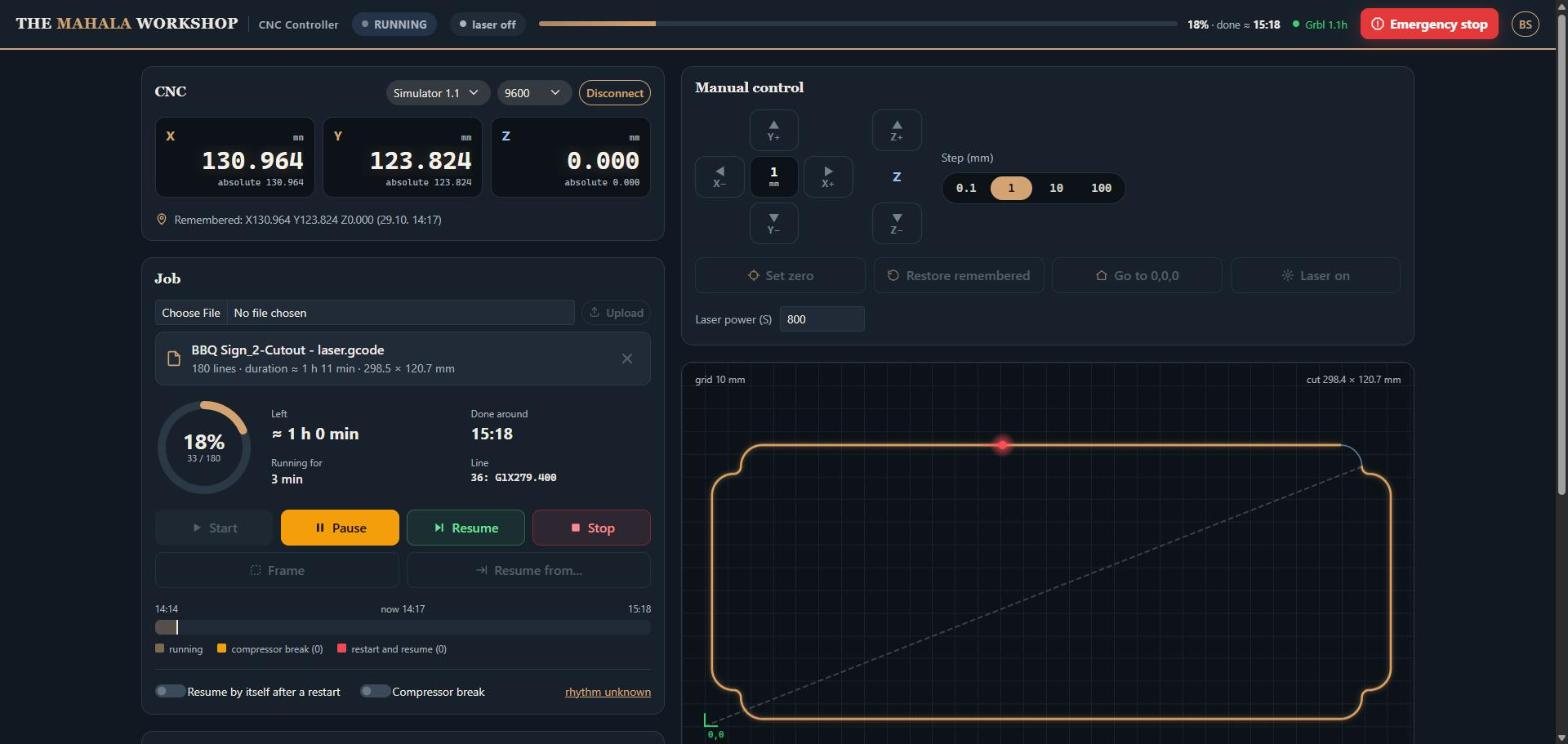
What the program does
Grbl 0.8, 0.9 and 1.1
Works with Arduino and Grbl, old and new. It recognises the version by itself, explains errors and alarms, and reads and changes Grbl's settings ($$).
From your phone
The same page on your phone: in your home network you scan a QR code, with no account and no internet. Pause and emergency stop are always at your fingertip.
Resume after a restart
If the Arduino restarts (power glitches, USB), the program restores the position and continues the job where the laser stopped. It can do it by itself while you sleep.
Drawing, frame and time
The job's drawing with the finished part and the laser live, a frame to check that it fits on the material, and an estimate of the time left.
Laser
Laser power (S) for Grbl 1.1, laser mode, switching the laser on and off, and converting ArtCAM files for the laser.
Simulator to try it
A built-in simulator plays Grbl 0.8 and 1.1, so you can try the program without a CNC.
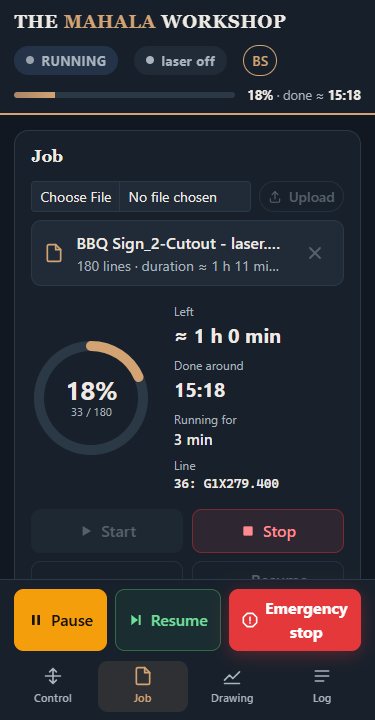
The CNC on your phone
Turn on "Local network" in the program and scan the QR code: a phone on the same Wi-Fi opens the same page as on the computer. The 6-digit code is entered only once, and nobody else on the network can control the laser.
The program speaks English and Bosnian. One click changes the language, on the computer and the phone together.
What you need
- A computer with Windows 10 or 11 (64-bit). .NET and everything else comes with the installer.
- A CNC or laser with an Arduino (Uno, Nano...) and Grbl 0.8, 0.9 or 1.1.
- A USB cable; for most Arduino clones the CH340 driver (Windows usually has it already).
- For the phone: the same Wi-Fi as the computer.
Installation and new versions
Download and run the installer. It installs without an administrator and puts a shortcut on the desktop. The program isn't signed with a paid certificate, so the first time Windows shows "Windows protected your PC": click "More info", then "Run anyway".
When a new version comes out, the program says so at the bottom of its window, and one click downloads and starts it. Your settings stay.
What's new
Version 1.0.3 10/31/2026
The program window now always shows the same page as the phone; the old view with plain Windows controls has been removed. Grbl settings can be saved to a text file ("Save to file"), both in the program and on the phone. The log in the window also shows the first messages from when the program started.
Version 1.0.2 10/31/2026
The terms of use have a new "Privacy" part and are shown once more. The only connection the program makes on its own is to mahalaworkshop.com, to check for a new version, and this can now be turned off with the "Check for new versions" box.
Version 1.0.1 10/31/2026
On a narrow phone screen, a three-digit position and the remaining time are no longer cut off. "Compressor pause" is now called "Planned pause". The first version built on GitHub from the public source code (github.com/SenadKulo/mahala-cnc-controller, GPL-3.0).
Version 1.0.0 10/29/2026
First public version: Grbl 0.8 and 1.1, English and Bosnian, access from a phone in the local network, resuming a job after a restart, an installer with automatic updates.
Frequent questions
A question or an idea?
Write to us on WhatsApp: help with the program, a bug you found, or an idea for what to add.
Write on WhatsApp